Record. Stream. Clip. Done.
The Fast Series: focused Windows creator tools that do their job without turning your workflow into a project. Pick one off the shelf.
Record and stream
FastCast
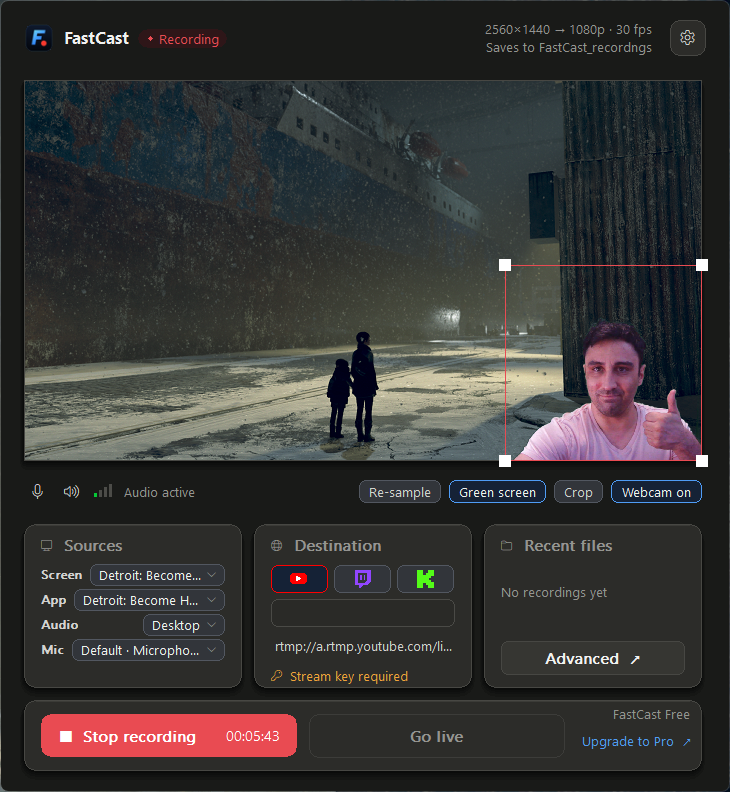
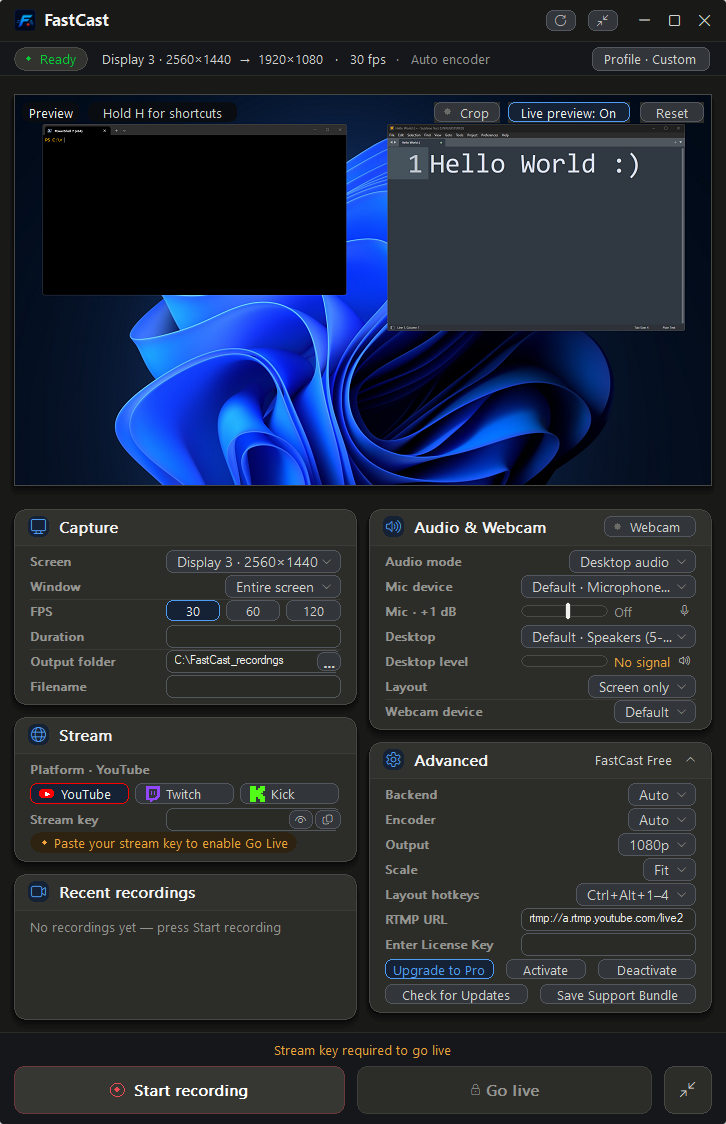
Screen recorder and live streaming app. Pick a screen, pick your audio, press record. The same setup goes live without building a second scene.
- A whole monitor or a single window, with mic and desktop audio
- Webcam overlay with a built-in green screen
- Instant Replay saves the last 15 to 300 seconds as an MP4
- Streams to YouTube, Twitch, Kick, or any RTMP/RTMPS service
Straight from the apps
Real captures, not mockups.
Guides for the job, not just the app
Plain how-to articles for recording, playback, clipping, and compression on Windows.
What you can check before you install
Public releases
Builds ship on public GitHub releases pages with notes on what changed in each version.
GitHubFastPlay is open source
MIT licensed. Read the code, build it yourself, or file an issue.
FastPlay sourceYour files stay on your PC
FastCast has no account, no watermark, and no telemetry. FastClip analyzes footage locally. FastCompress has no account and no watermark.
FastCast privacy policyUnsigned during beta
Windows SmartScreen may show an Unknown Publisher warning the first time you run a beta app. That is expected until code signing is in place.

Made by Calvin Sturm
Sturm Technologies LLC is one developer on California's Central Coast. The person who answers your support email is the person who wrote the code.
Start with the one you need.
FastCast and FastPlay are both free to download. Record with one, watch it back with the other.